VN App vs CapCut 2026: Every creator has faced this dilemma at some point: you have clips on your phone. There’s a trend going on right now. The algorithm won’t wait. But at the same time, you don’t want your video to look like everyone else’s recycled template. Today, the number of them has grown so much that even finding a good-quality app for video editors has become extremely difficult. Many editors are confused about which app to choose. We’re going to clear up this confusion.
Will you choose speed or creative control? For millions of mobile creators, the choice boils down to two apps: VN app and Capcut, both free. Both are powerful. Both claim to be “pro-level.” But they’re designed for very different types of creators, so today we’ll answer which one might be best for you.
After years of hands-on testing, production work, and seeing what actually performs on Reels, Shorts, and YouTube, here’s the truth—without the marketing fluff, without the AI buzzwords, and without pretending they’re equal.
In this article, we’ll compare VN vs. CapCut and find out which app is the best. It’ll show you the best features and functions, filters and effects, and more from both video editing apps.
VN App vs CapCut 2026: Which is Best?
You’ll find many similarities between VN Video Editor and CapCut. Both are widely used for video editing. Both have simple interfaces, numerous built-in filters and effects, and more. First, we’ll discuss VN and CapCut.
VN Video Editor
VN Video Editor can be a great app for all Android users, especially in India. It’s equally suitable for beginners and experts. The app’s strengths include an easy-to-use interface, a variety of basic and advanced features, and excellent performance. It also offers impressive features like keyframe animation, chroma key, and multi-layer formats.
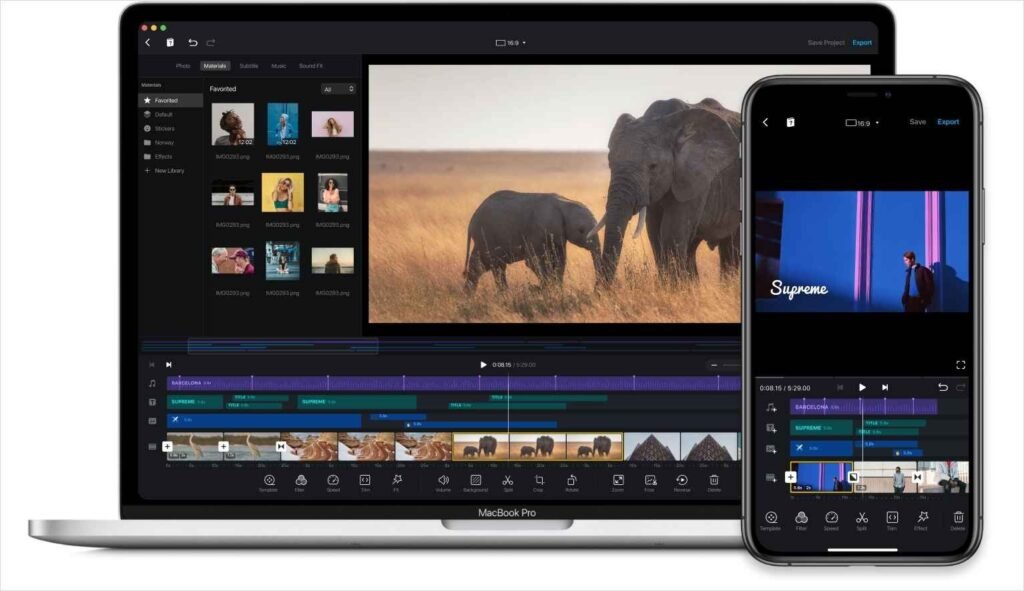
This app offers numerous benefits for photographers, videographers, and cinematographers.
VN Video Editor: The Champion of Professional Editing
- Advanced tools like a multi-layer timeline, keyframe animation, and chroma key (green screen).
- Speed curves, multi-track audio editing, and the ability to import LUT filters.
- Works completely offline, with no ads and no watermark on export.
- 4K quality export, high-quality output.
- Platforms: Android, iOS, Mac, and Windows (desktop version is also powerful).
Photographers, vloggers, and professional creators love it for its desktop-like control. VN remains completely free in 2025 – no subscription pressure!
| Feature | VN Video Editor | CapCut |
|---|---|---|
| User Interface | Professional, desktop-like (great for control) | Beginner-friendly, clean & trendy |
| Advanced Tools | Yes (Keyframe, Chroma Key, Masking, Multi-layer) | Good, but some locked in Pro |
| Templates & Effects | Solid custom effects | Thousands of trendy templates |
| AI Features | Limited (basic sync) | Advanced (Auto captions, background remove, script generator) |
| Music Library | Basic (add your own) | Huge, with trending TikTok sounds |
| Export Quality | 4K 60fps free | 4K supported |
| Watermark | None | Sometimes (on templates/ending; removable manually or with Pro) |
| Ads | None | Occasional in free version |
| Offline Editing | Fully offline | Partial (templates/music need internet) |
| Platforms | Android, iOS, Windows, Mac | Android, iOS, Windows, Mac, Web |
| Best For | Pro users, detailed editing | Beginners, quick trendy social videos |
CapCut: The Master for Quick and Trendy Edits
- Thousands of ready-to-use templates, trendy effects, and auto-captions.
- AI tools like auto-cut, motion tracking, and voice changer.
- Direct integration with the TikTok music library.
- Simple interface – viral videos ready in one tap.
- Platforms: Android, iOS, Windows, Mac, and web versions.
CapCut is super fast for beginners, but many features (like premium effects) require a Pro subscription. The free version sometimes comes with ads or limitations.
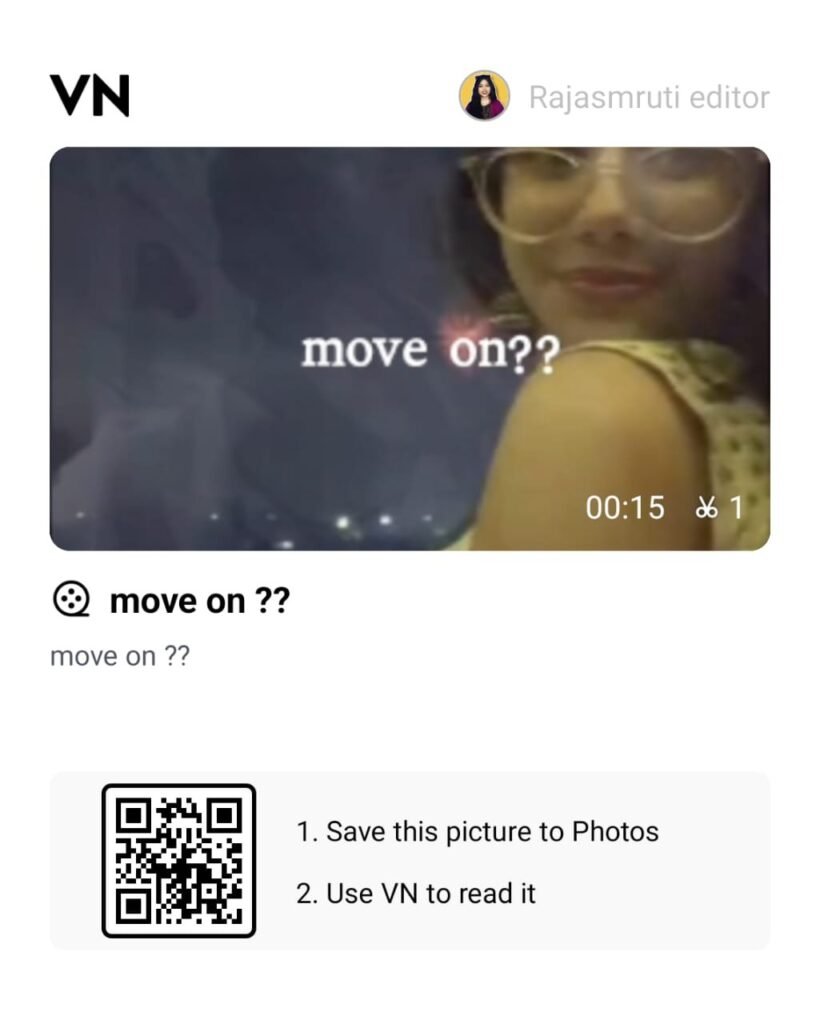
VN Template Codes Like This:
VN vs CapCut Features | Performance, Usability
VN Video Editor and CapCut are both top free video editing apps. Both have strong features, but excel in different areas. This comparison will tell you which app is perfect for your workflow.
User Interface & Ease of Use
CapCut – UI & UX
- CapCut, जिसे ByteDance (TikTok के owner) ने बनाया है, एक super slick और beginner-friendly editor है।
- Timeline intuitive है, drag-and-drop smooth है, और trending templates से quick edits कुछ ही मिनटों में हो जाते हैं। TikTok पर direct publishing एक बड़ा plus point है।
Plus Points:
- Clean और modern UI
- Large collection of trending templates
- Deep TikTok integration
Minuses:
- Some features multiple taps के अंदर छिपे होते हैं
VN Video Editor – UI & UX
VN का interface ज्यादा professional और desktop-software जैसा feel देता है। शुरुआत में थोड़ा complicated लग सकता है, लेकिन customization और manual control में यह बहुत strong है। Multi-layer editing यहां काफी smooth है।
Plus Points:
- Desktop-style timeline
- Strong multi-layer support
- Completely ad-free experience
Minuses:
- Beginners के लिए learning curve
Verdict:
Fast और simple editing के लिए CapCut बेहतर है, लेकिन advanced control और customization के लिए VN best choice है।
Templates & Effects
CapCut Templates
- Templates के मामले में CapCut साफ winner है।
- हजारों ready-to-use templates, transitions, effects और auto-captions मिलते हैं — जिनमें से ज्यादातर TikTok trends के हिसाब से बने होते हैं।
- 2025 में AI templates और ज्यादा smart हो गए हैं।
VN Templates
VN में transitions और effects quality वाले हैं, लेकिन trend-focused नहीं।
यह उन creators के लिए perfect है जो custom editing करना चाहते हैं, न कि ready-made formats।
Verdict:
Trending formats और social media growth के लिए CapCut number one है।
Audio Editing & Music Library
CapCut Audio
CapCut में:
- Huge royalty-free music library
- Direct TikTok trending sounds
- Beat detection
- Auto-sync
- Voiceovers
- AI audio effects
Short-form creators के लिए यह एक complete audio toolkit है।
VN Audio
VN में:
- Custom music import आसान है
- Multi-track audio support
- Voiceovers और basic audio controls solid हैं
लेकिन AI sync और trending music library के मामले में VN पीछे है।
Verdict:
Trending music और AI sync के लिए CapCut आगे है।
Performance & Export Options
VN Performance
- Free 4K 60fps export
- No watermark
- Mid-range devices पर भी smooth performance
- Better quality compression
CapCut Performance
- 4K export supported
- Templates use करने पर कभी-कभी watermark या end clip जुड़ जाता है (manually हटाया जा सकता है)
- Social media optimization में हल्की compression
Verdict:
Clean, high-quality export और watermark-free experience के लिए VN winner है।
Offline Editing & Ads
VN Offline
- Completely offline editing
- 100% ad-free
- Distraction-free experience
CapCut Offline
- Basic editing offline possible
- Templates, music और कुछ features के लिए internet जरूरी
- 2025 में occasional ads और premium prompts दिखते हैं
Verdict:
Offline work और ad-free editing के लिए VN clear winner है।
AI Features in 2025
AI in CapCut
2025 में CapCut का AI ecosystem काफी powerful है:
- AI Background Remover
- AI Captions
- AI Script Generator
- AI Face Retouching
- Motion Tracking
Influencers और short-form creators के लिए speed और automation शानदार है।
AI in VN
VN का AI अभी limited है:
- Basic beat sync
- Speed ramps
- Recently added AI templates
CapCut जितना advanced AI ecosystem अभी नहीं है।
Verdict:
AI-powered features में CapCut dominate करता है।
Platform & Device Support
दोनों apps available हैं:
- Android
- iOS
- Windows
- macOS
CapCut का desktop version काफी powerful है, जबकि VN का desktop experience ज्यादा professional feel देता है।
Verdict:
Platform support में दोनों बराबर हैं, लेकिन VN desktop ज्यादा full-featured लगता है।
VN vs CapCut: How to Choose the Right App?
We’ve told you about both apps, so which one is best for you, VN Video Editor or CapCut? But if you’re still confused, let’s break it down further – with the latest facts from 2025! Both apps are free and powerful, but perfect for different users.
For Experts: Why is VN Video Editor the best?
Professional creators, YouTubers, or those who do high-end editing can use VN App. However, the VN app is only supported on Android; a Windows version hasn’t been officially launched yet.
Advanced tools like a multi-layer timeline, keyframe animation, curve speed control, and masking are available for free.
Chroma Key (green screen), PIP (picture-in-picture), and precise manual controls – ideal for creating cinematic videos.
Works completely offline, no ads, 4K 60fps export without a watermark.
Full-featured even on desktop (Windows/Mac), smooth for long projects.
VN in 2025 is the most popular among pro users because it offers a desktop-like feel – more control, less hassle!
For beginners: Why is CapCut No. 1?
New creators, TikTok/Reels/Shorts creators, or those who want to quickly create trendy videos and edit videos on a PC or laptop can use Capcut, although Capcut is banned in India.
Super simple and clean interface, easy with drag-and-drop.
Thousands of ready-made templates, trending effects, and auto captions – video ready in one tap.
Powerful AI tools in 2025: Auto background remover, AI captions, script generator, face retouching, and beat sync.
Direct integration with TikTok, a huge library of trending music.
No learning curve for beginners – AI handles everything automatically, the speed and quality are amazing!
VN App vs CapCut: Pros And Cons
| App | PROS | CONS |
|---|---|---|
| VN Video Editor | • Convenient & clean UI • Multiple advanced editing tools • Flexible export options • Suitable for high-end & professional tasks • Exports videos without watermark • Available on Mac, Windows, iOS & Android | • Ads shown in free version • Limited direct social media sharing • Some advanced features require unlocking |
| CapCut | • User-friendly interface • Supports multi-layer editing • 4K video export available • Large collection of filters & effects • Wide range of ready-made templates | • Limited advanced/manual editing controls • Occasional lag on some devices • Watermark added on certain export options |
Conclusion
In 2026, both VN Video Editor and CapCut are superhit free video editing apps. Creators who make Reels, Shorts, and YouTube videos love them because they’re fast and offer a ton of cool features.
Whether you’re a beginner or want to quickly create trendy videos—like TikTok, Instagram Reels, or YouTube Shorts—CapCut is the best choice. It has amazing AI tools (auto captions, background removal, trending templates), a massive music library, and everything is ready in a single tap. CapCut excels in speed and trends. If you’re into professional or advanced editing—you want a cinematic look and detailed control—VN Video Editor will work for you. Powerful tools like keyframes, chroma key, and masking are free, no ads, no watermarks, completely offline, and clean 4K export. For precise editing, there’s nothing better than VN.